
Getting Started
To enable the integration between Teamtailor and Youda:
Contact Youda to provide you with an API token for a TeamTailor user linked to your account.
Search for ‘Youda’ in the Teamtailor marketplace and click Activate.
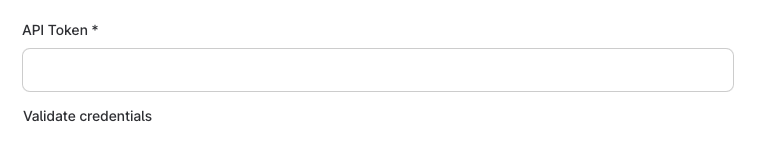
In the activation form, enter the API token. You can click ‘Validate credentials’ to confirm everything is working correctly.
Set Up Mandatory Custom Fields
In order to create employees in Youda successfully, Youda requires TeamTailor to send a start date with any new hire.
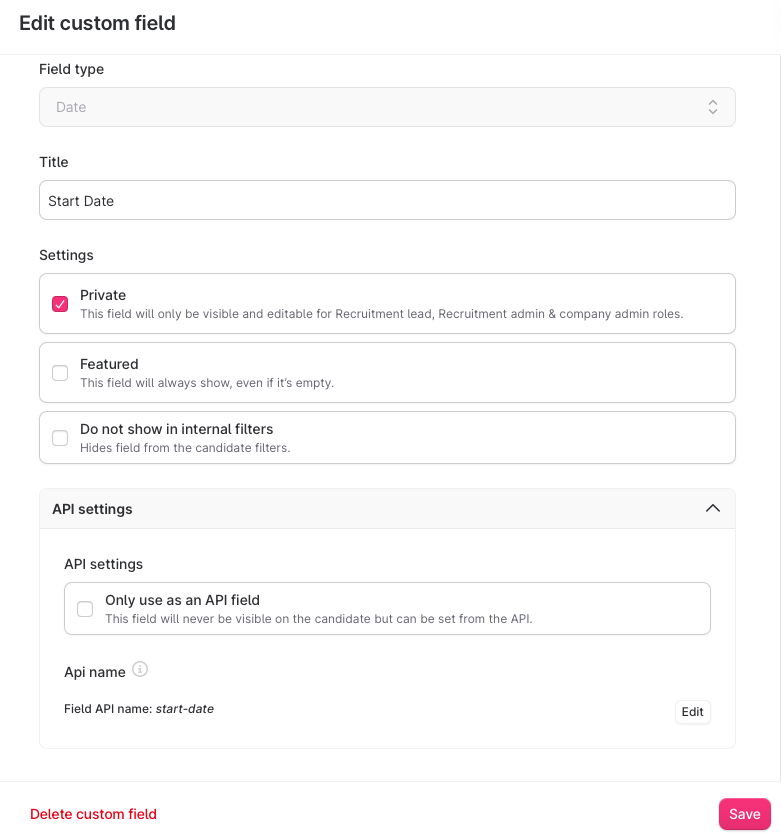
Go to Settings in your Teamtailor application and find ‘Custom fields’. Click ‘New custom field’ and select a field of type date.
The title you enter is unimportant, but it is essential that the Field API name at the bottom is set to exactly start-date for the integration to work.
Mandatory Default Fields
The following fields on candidate profiles must be filled in for the integration to work:
A candidate also needs an accepted Job Offer on their profile in order for salary information to be sent to Youda.
Set Up the Trigger in Teamtailor
With the integration activated, head to one of your jobs in Teamtailor. From the applications view, click on the Triggers symbol.
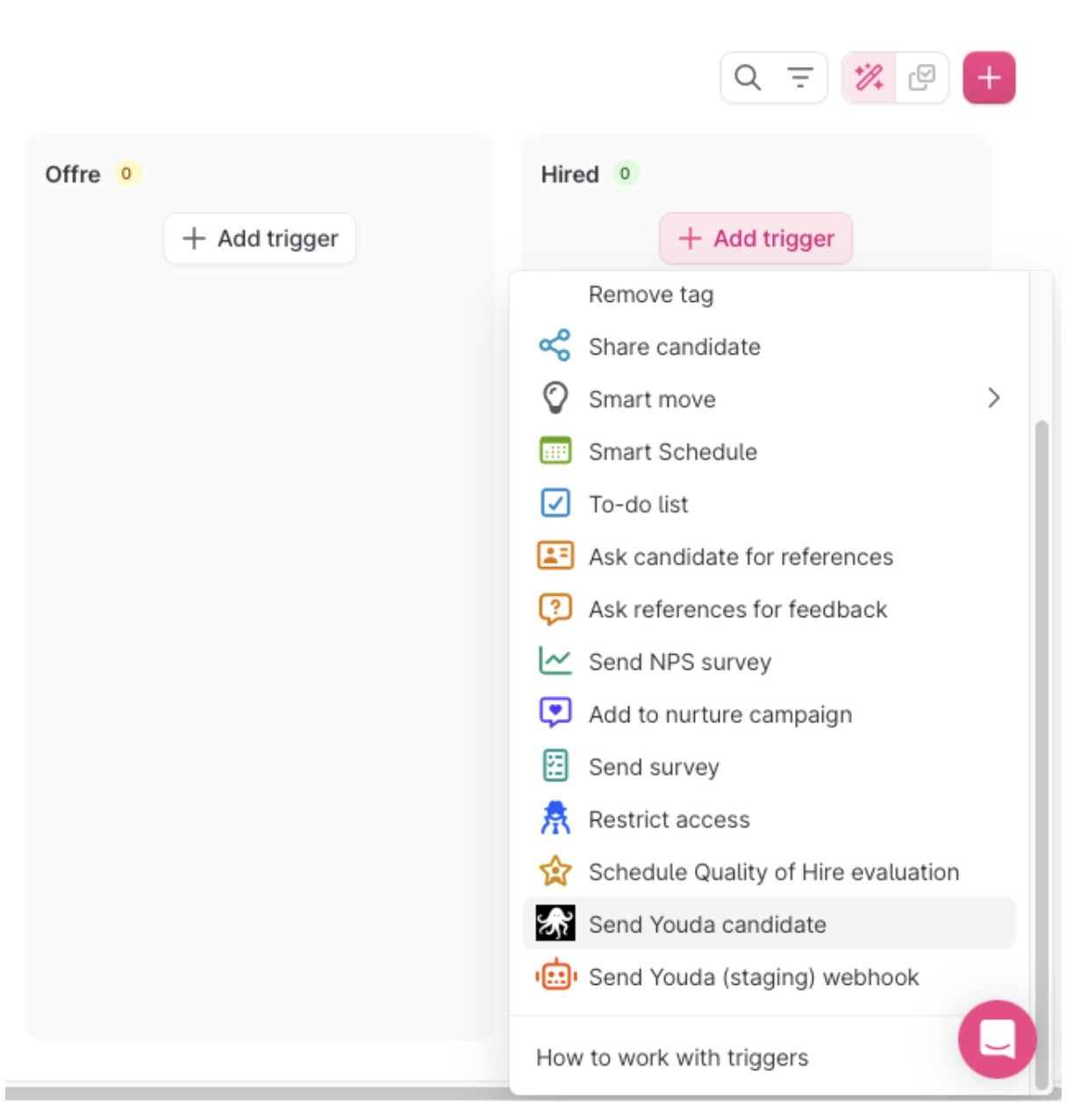
Select the ‘Hired’ stage (or the equivalent in your template) and click the + button in that stage.
Then select ‘Send Youda candidate’ from the dropdown menu. Candidates moved to this stage will be automatically sent to Youda.
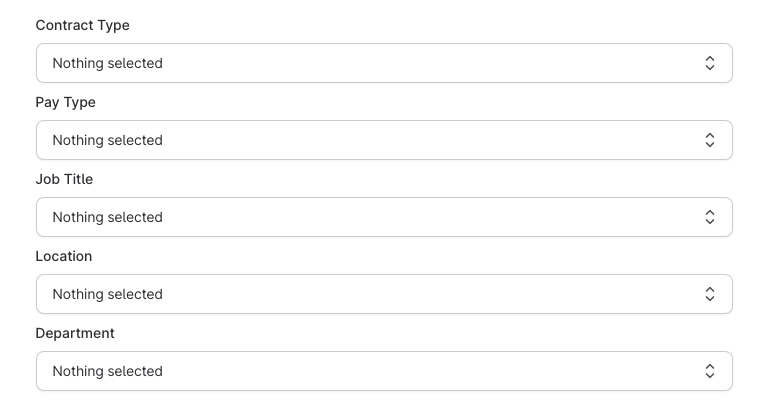
In the trigger you will configure several fields associated with the posting. These enable Youda to match the candidate to configured roles in the Youda platform, ensuring the new starter gets added to the correct group chats and channels, and has access to the correct automations.
If the desired option does not exist in any dropdown, then it will need configuring in the Youda platform: contact Youda directly for support with this.
Using the Integration
Once triggered, the candidate is invited to Youda via email. Any onboarding agents you have configured will be waiting for them upon login.
After triggering the integration, the Youda result will appear on the candidate card in Teamtailor. If the status shows Sent, the candidate has been successfully created in Youda and an invite has been sent.
You’re all set
Your Teamtailor integration is ready. New hires moved to the Hired stage will be automatically onboarded through Youda.